
The SEO Module helps you understand and improve how your restaurant appears in search results—across local search, organic search, and AI-powered search experiences.
Instead of focusing only on rankings, NGAZE’s SEO Module connects visibility, website readiness, and local signals into one actionable view.
This module answers:
“How discoverable is my restaurant in search, and what should I improve?”
Where to Find the SEO Module #
From the left navigation menu, go to:
Modules → SEO
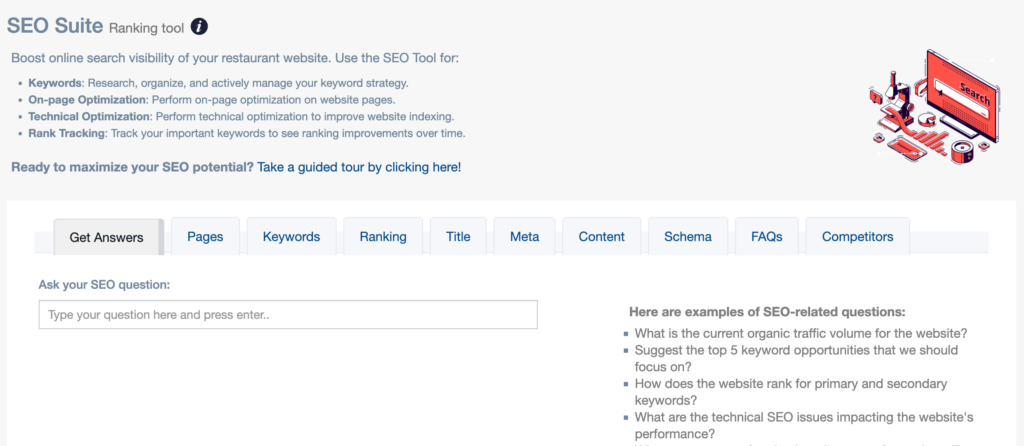
What the SEO Module Does #
The SEO Module analyzes search-related performance across multiple dimensions, including:
- Local search visibility
- Organic search readiness
- Website SEO health
- Search query and keyword signals
- AI search readiness (OmniSearch)
It helps you identify why your restaurant is or isn’t showing up—and what actions can improve visibility.
Key Areas Inside the SEO Module #
📍 Local SEO #
Local SEO focuses on how your restaurant appears in:
- Google Maps
- Local search results
- “Near me” searches
Signals may include:
- Google Business Profile performance
- Reviews and ratings
- Location relevance
🌐 Organic SEO #
Organic SEO evaluates how well your website is structured and optimized for traditional search results.
This includes:
- On-page SEO readiness
- Indexing signals
- Website structure and content foundations
This is about long-term visibility, not quick wins.
🤖 OmniSearch (AI Search Readiness) #
OmniSearch helps measure how well your restaurant is positioned for AI-driven search experiences, such as:
- AI assistants
- Conversational search
- Recommendation-based discovery
This reflects how modern search is evolving beyond blue links.
Where the SEO Data Comes From #
The SEO Module uses data from:
- Website scans
- Google Search Console (if connected)
- Google Business Profile (if connected)
- Website performance metrics
- Public search signals
Connecting Google Analytics and Search Console improves depth and accuracy.
How Often SEO Data Updates #
- Most SEO data updates daily
- Some search platforms have a 24–48 hour delay
- Trends become clearer as historical data builds
SEO improvements typically take weeks or months, not days.
How to Use the SEO Module Effectively #
- Review SEO insights monthly
- Focus on trends, not single data points
- Pair SEO insights with Audit findings
- Use Recommendations to prioritize work
- Track progress through Reports
SEO is cumulative—small improvements add up over time.
How the SEO Module Connects to Other NGAZE Features #
The SEO Module works closely with:
- Audit Module – to identify technical issues
- Website Performance – to support speed and UX
- Reviews Module – to strengthen local signals
- Recommendations – to guide actions
- Reports – to measure progress
Common Questions #
Does NGAZE guarantee rankings? #
No. NGAZE provides insights and guidance, but search rankings depend on many external factors.
Can NGAZE make SEO changes automatically? #
No. NGAZE identifies opportunities; implementation is always controlled by you or your team.
Why do SEO results take time? #
Search engines need time to crawl, index, and evaluate changes. This is normal and expected.
Best Practices #
- Connect all relevant Google tools
- Prioritize local SEO for restaurants
- Avoid chasing short-term SEO “tricks”
- Track progress quarterly, not daily
Need Help? #
If you need assistance:
- Use Help inside NGAZE
- Email support@support@thedigitalrestaurant.com
- Schedule a call with your account manager