
The Marketing Dashboard provides a centralized view of your restaurant’s overall marketing performance across connected channels. It helps you understand what’s working, what’s not, and where to focus next—without digging into multiple tools.
This dashboard is designed for owners, managers, and marketers who want clarity, not complexity.
Where to Find the Marketing Dashboard #
From the left navigation menu, go to:
Insights → Marketing Dashboard
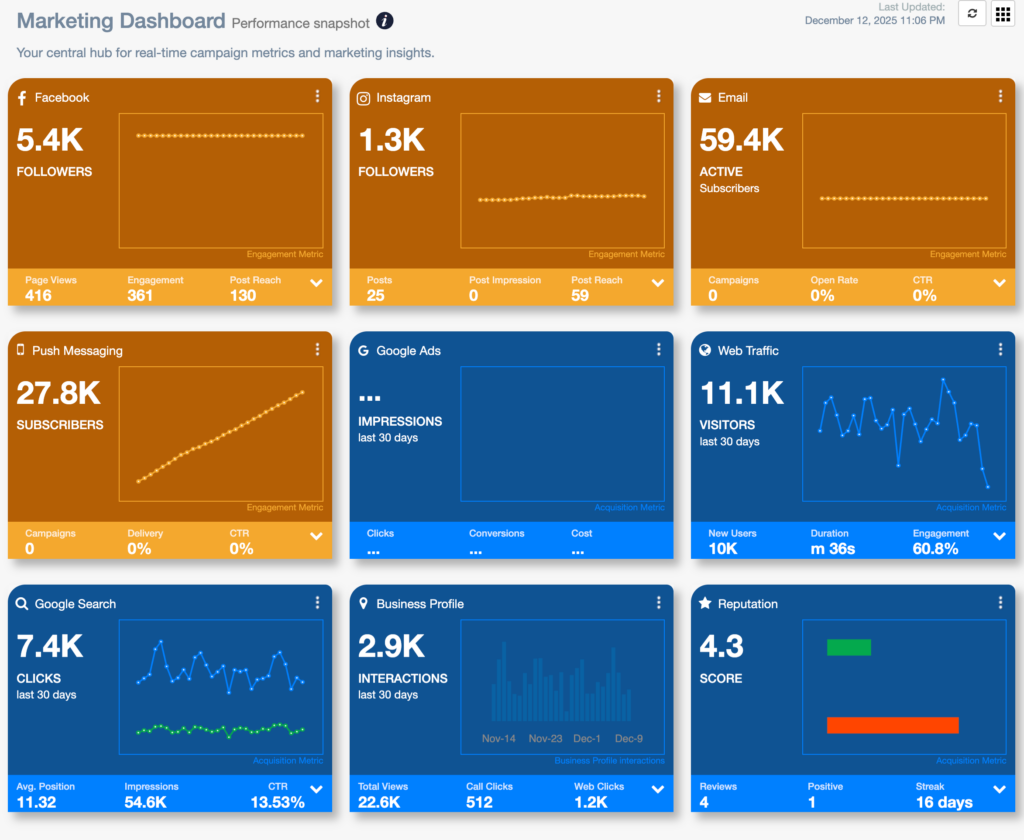
What the Marketing Dashboard Shows #
When networks are connected, the Marketing Dashboard may include insights related to:
- Website traffic and engagement
- Search visibility and performance
- Local presence indicators
- Paid advertising performance (if connected)
- High-level marketing trends over time
It combines multiple data sources into a single, easy-to-read view.
Key Sections Explained
📈 Performance Overview
This section summarizes how your marketing is performing across channels. It helps answer questions like:
- Is traffic trending up or down?
- Are marketing efforts improving visibility?
- Are recent changes having an impact?
🔍 Channel-Level Insights
The dashboard may surface performance highlights from:
- Organic search
- Local listings
- Website activity
- Paid campaigns (Google Ads / Meta Ads, if connected)
Each insight is based on the data NGAZE pulls from your connected networks.
🧠 Insights & Signals
NGAZE analyzes patterns in your data to surface meaningful signals, such as:
- Growth opportunities
- Declining performance areas
- Inconsistent trends across channels
These signals help guide strategy, not just reporting.
Why Data May Be Missing #
If you see limited data or empty states, it usually means:
- One or more networks are not connected
- Data is still syncing (first 24–72 hours)
- The selected date range is too narrow
Connecting Google Analytics, Google Search Console, Google Business Profile, and ad platforms will unlock the most complete view.
How Often Does the Marketing Dashboard Update? #
- Most data updates daily
- Some platforms have a 24–48 hour reporting delay
- Trends become more accurate as historical data builds
How to Use the Marketing Dashboard Effectively #
- Review this dashboard weekly
- Look for directional trends, not daily fluctuations
- Use insights to guide:
- Campaign planning
- Budget decisions
- SEO and content priorities
- Drill down into specific sections for deeper analysis
Common Questions #
Is this the same as Google Analytics?
No. NGAZE aggregates and interprets data from multiple sources to give you a broader marketing view.
Can I export this data?
Detailed reports are available through the Reports section of NGAZE.
Does NGAZE automatically change my marketing?
No. NGAZE provides insights and recommendations. All actions remain under your control.
Need Help? #
If you need assistance:
- Use Help inside NGAZE
- Email support@support@thedigitalrestaurant.com
- Schedule a call with your account manager